
Learning Outcome #2
Transferable Production
You document and comment your code using version control in a personal and team context and communicate technical recommendations.
Evidences

Git Version Control
GitLab: https://git.fhict.nl/I522385/portfolio-semester-3
In my portfolio, I used GitLab as a version control in my portfolio because it proved to be the
best option to track changes, code refinement, and manage versions efficiently. I document my
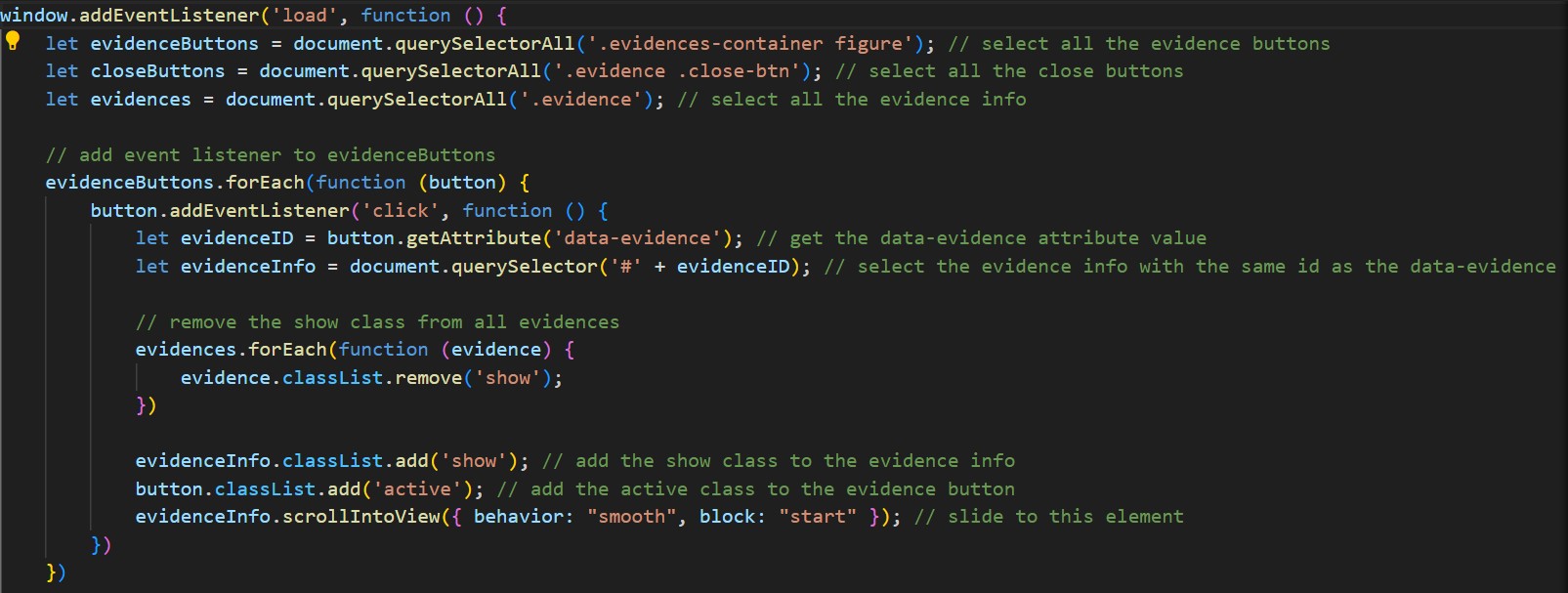
code by creating and maintaining the ReadMe file. I also make sure to comment my code in
HTML, CSS, and JavaScript to improve readability, maintainability, and make it easier for others
(or myself) to understand and update the code in the future.
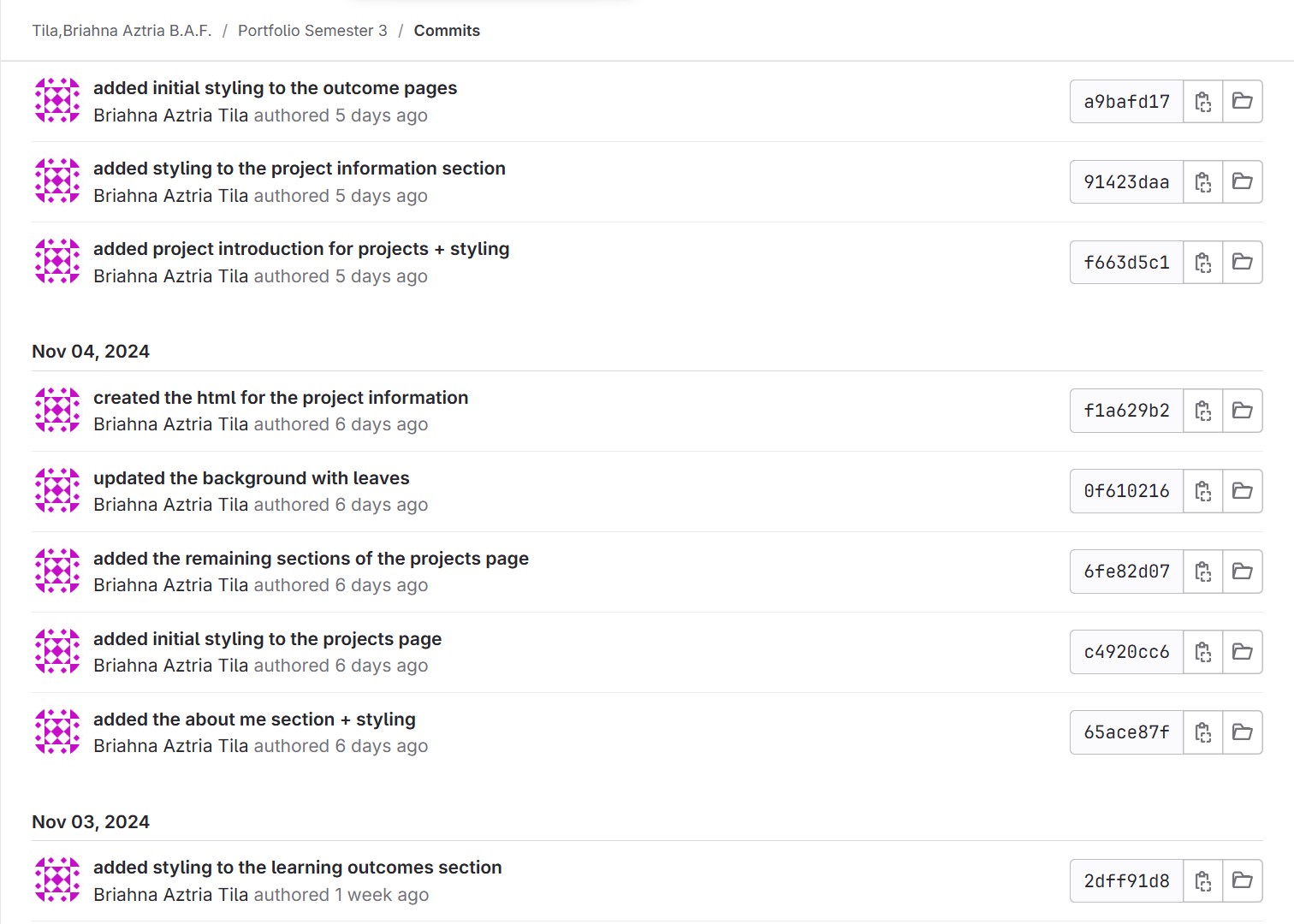
Aside from that, I often make sure to push or commit to GitLab if there are any changes in my
code, as pushing is necessary so those changes I made will be applied when they're ready to
be shared. I try to implement clear commit messages too because doing this makes it easier for
me to understand, maintain, and debug versions.

Portfolio
GitLab: https://git.fhict.nl/I522385/portfolio-semester-3
Link: https://i522385.hera.fontysict.net/portfolio-semester-3/
Introduction
I made a website for my portfolio to show the skills I've developed, the projects I've completed,
and the progress I've made throughout the semester. It's organized to give a clear overview of
my main projects in the “Projects” section and the learning outcomes I've achieved in the
“Outcome” section, reflecting the goals and skills I've focused on during this time.
Process
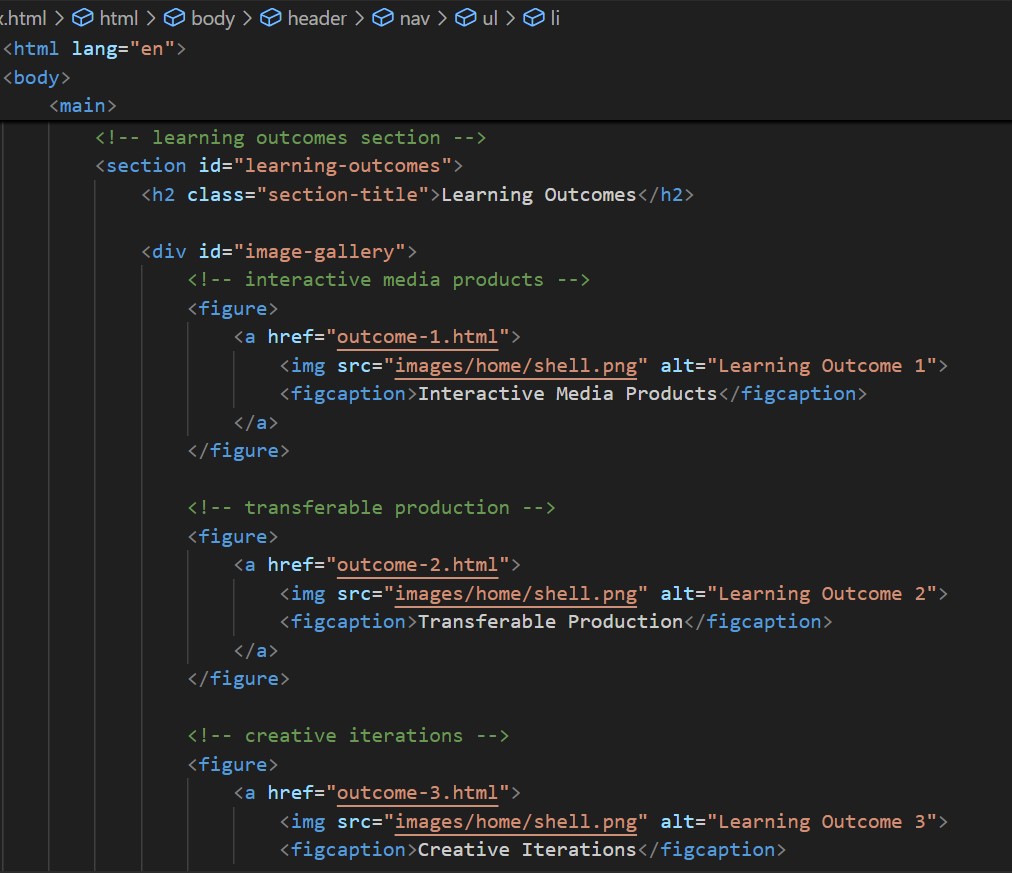
First, after finalizing the design and structure of my portfolio, I began coding the website using
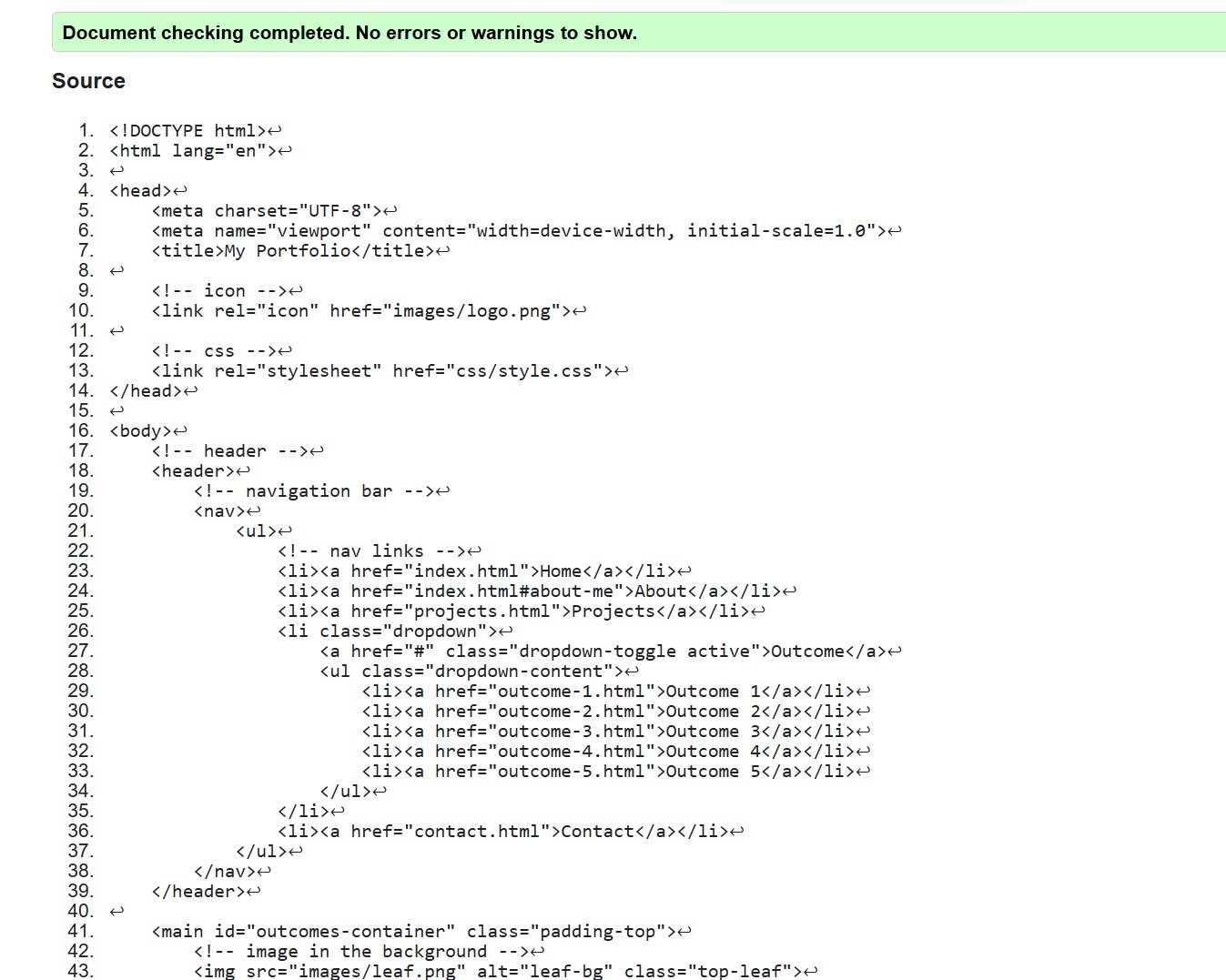
HTML semantics, CSS, and JavaScript. I also checked the code using the W3C Markup
Validation Service to make sure it met coding standards. I reused some code from my previous
portfolio to create a dropdown area for my outcome page.
For the wave designs on the website, I used CSS to add visually engaging elements, but
creating these complex wavy effects was challenging to implement with CSS alone. To make the
process more efficient and precise, I used an online CSS generator from wavier.art, which
helped me in building the wave design accurately.
Problems Encountered
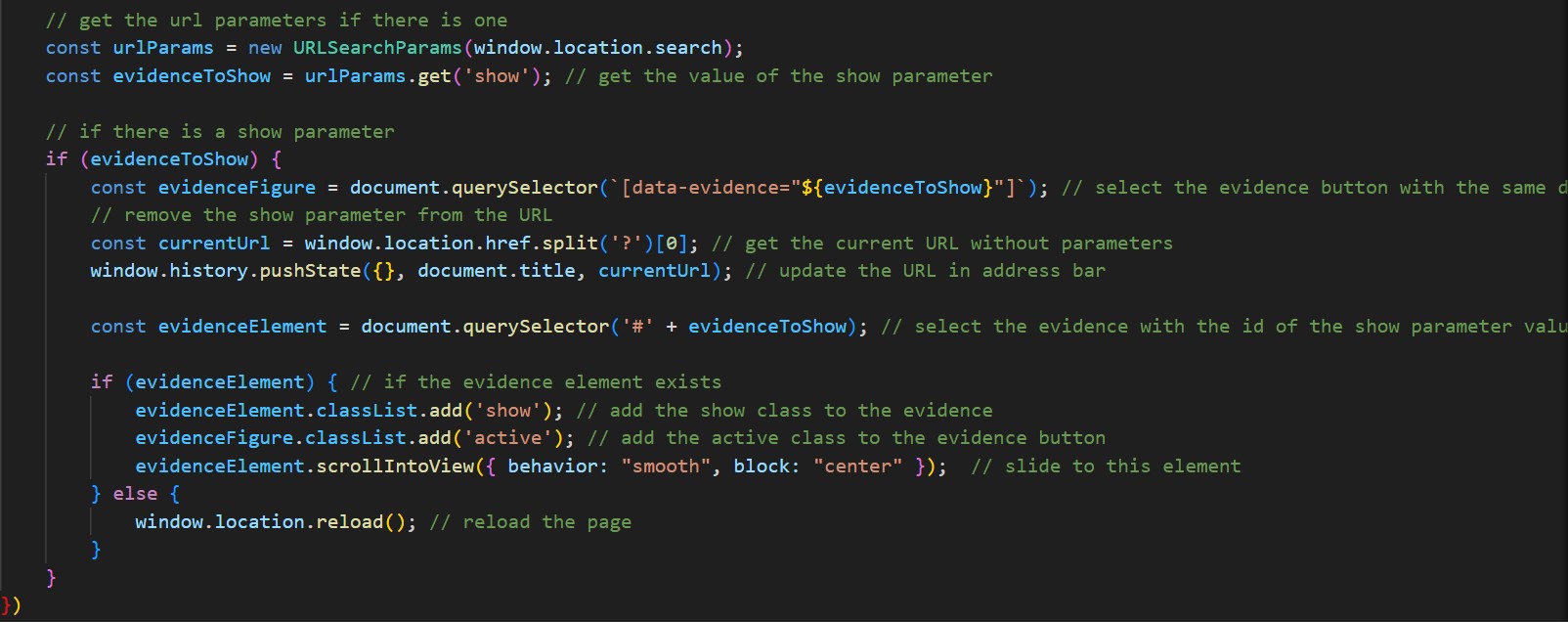
At first, I wasn't sure how to automatically open the dropdown area or section on the outcome
page when navigating from the projects page. What I did to solve this was to use URL
parameters to detect if the outcome page was accessed via a link from the projects page. By
using the URLSearchParams() method, I was able to parse the URL and check for the presence
of a parameter named open.
🔗Reference: https://www.sitepoint.com/get-url-parameters-with-javascript/
Future Improvements
I plan to make my portfolio website even better. I want to add animations to the text and
backgrounds to make the site more dynamic and interesting. I'll also include cursor effects, so
the site feels more interactive and fun to use. Once I finish the coding, I will do usability testing
to make sure everything works well and is easy for users to navigate.
Tic-Tac-Toe
GitLab: https://git.fhict.nl/I522385/tic-tac-toe
Link: https://i522385.hera.fontysict.net/tic-tac-toe/
Introduction
I created a Tic-Tac-Toe game as part of an activity in our class to refresh our knowledge of
JavaScript. The game is designed for two players who take turns placing their symbols (X or O)
on a 3x3 grid. The goal is to form a straight line of three symbols, either horizontally, vertically,
or diagonally, to win. If all squares are filled without a winner, the game ends in a tie.
Process
I followed an article from Medium on how to create Tic-Tac-Toe using HTML, CSS, and
JavaScript. I rewrote the code line by line to better understand the logic behind it. To make sure
I understood the code, I added comments to the JavaScript to help myself follow the steps and
learn how the game mechanics worked.
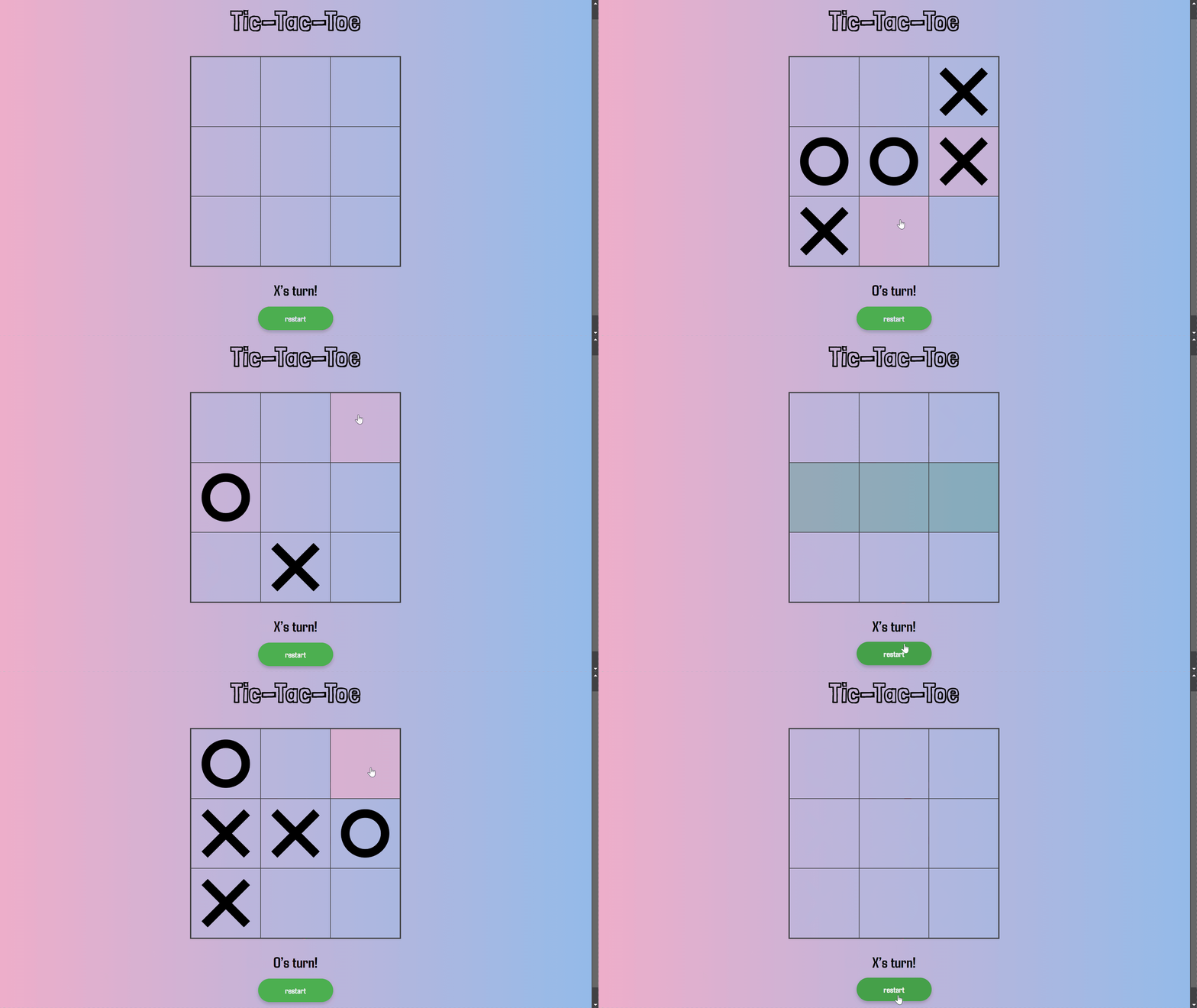
Next, I added design elements to improve the look of the game. I turned the X and O symbols
into images to make them more visually appealing and give the game a more polished look.
I also want to make some improvements to the functionality that wasn't covered in the article. I
disabled the squares once a player wins to prevent further moves. I also highlighted the winning
squares in green to clearly show which part of the grid resulted in a win.
What Have I Learned
I understood in class how winning combinations work in Tic-Tac-Toe. I also learned how to
display images like the X and O symbols in each square using JavaScript. One important
function I used was cloneNode(), which helped me display the images without losing any of
them in the squares. This was especially useful because it allowed me to clone elements for
repeated use in the game. This task helped refresh my knowledge of JavaScript, particularly
working with events, functions, and DOM manipulation.